

eu-central-1). All processing and storage by Requesty stays in the EU. Combine with EU-only approved models for full end-to-end data residency.
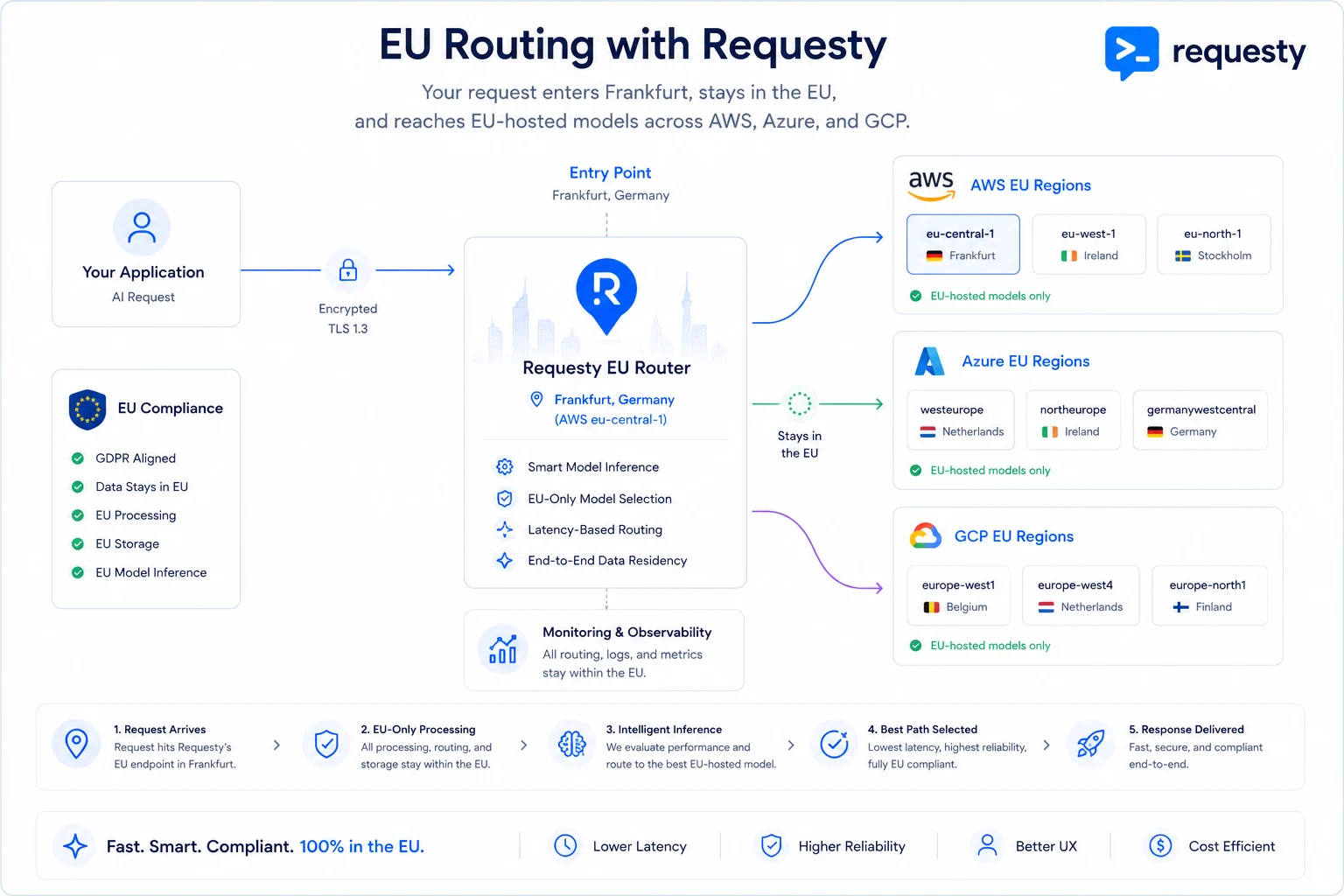
Your request enters in Frankfurt, stays in the EU, and reaches EU-hosted models across AWS, Azure, and GCP.
Try regional routing in the Playground or configure allowed regions for your organization.
How It Works
There are two layers to consider for EU data residency:Using the EU endpoint guarantees that Requesty’s processing and storage stays in the EU. To also guarantee that model inference stays in the EU, you must use an EU region model (see below).
EU Endpoint
Same API key, same request format, same features. Just swap the base URL.
Select a region in the Playground
The Playground can send requests through the Global, EU, US, or AP Requesty router. Use the Router endpoint selector beside the model selector before sending a request. The selected endpoint applies to:- Single-model chat
- Chat comparison
- Image generation
- Image comparison
The Playground selector controls where Requesty processes the request. It does not control where the model provider runs inference. Select an appropriately hosted model as well when you need end-to-end regional data residency.
Quick Start
- OpenAI SDK (Python)
- OpenAI SDK (TypeScript)
- Anthropic SDK
- cURL
Approve EU Only Models
By default, the EU endpoint can route to any model, including models hosted outside the EU. The Requesty processing stays in the EU, but the model inference might not. To guarantee that both Requesty processing and model inference stay in the EU, restrict your organization to EU region models only:1
Open the Model Library
Go to Model Library and switch to Table view for the best overview.
2
Filter by EU Regions
Click the Regions filter and select EU regions: EU, FRANCECENTRAL, SWEDENCENTRAL, or any other European region.
3
Select and Approve
Select all the EU models you want to allow, then click Add Selected to Approved Models. This restricts your organization to only use these models.
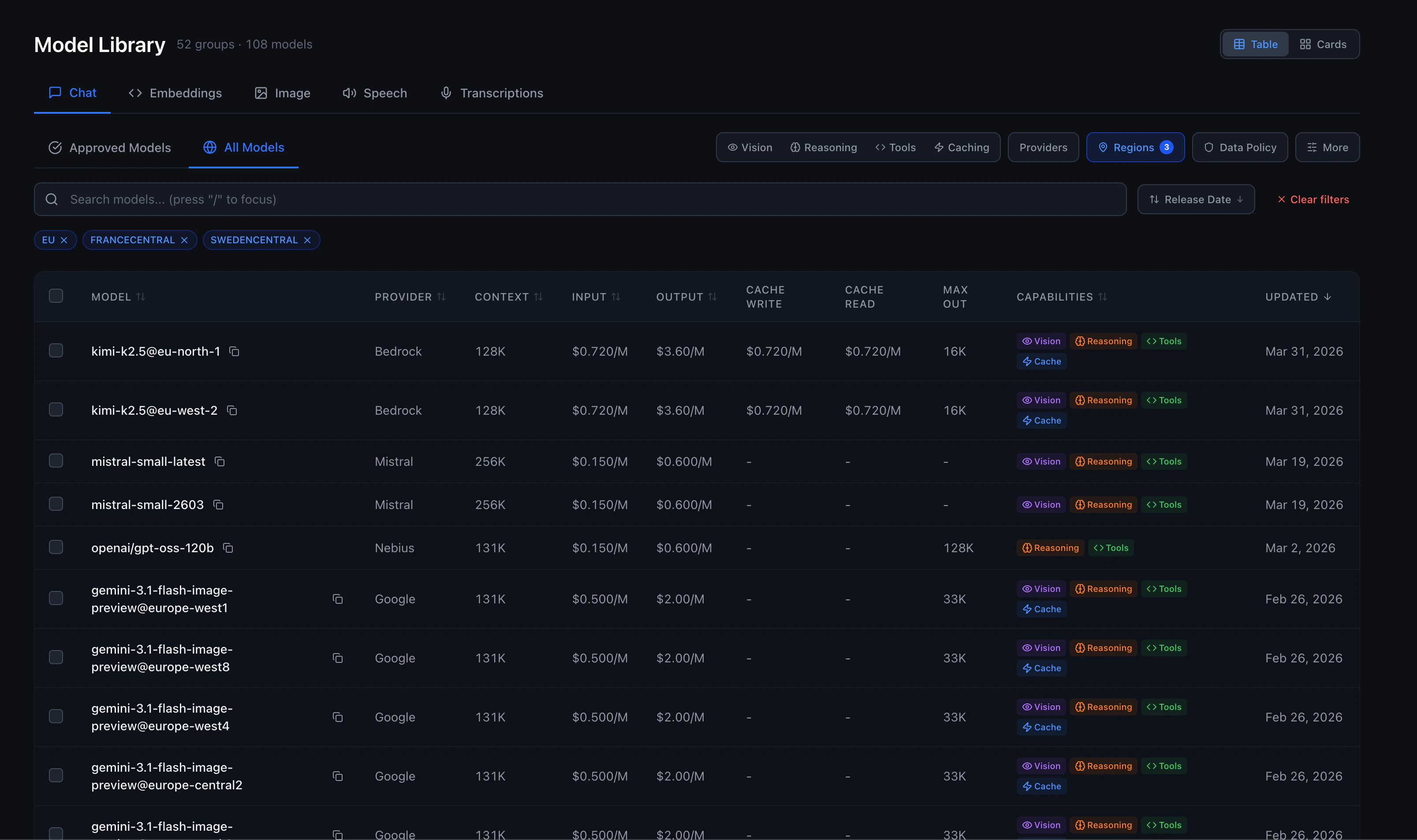
- AWS Bedrock: Models with
@eu-central-1,@eu-west-1,@eu-north-1suffixes (Claude, Llama, Mistral) - Google Vertex: Models with
@eusuffix (e.g.vertex/gemini-3.5-flash@eu,vertex/gemini-3.1-flash-lite@eu) - Azure: Models with
@francecentral,@swedencentralsuffixes - Mistral: Hosted in EU by default
Enforce EU routing for the organization
Switching a client or the Playground to EU is a per-request choice. To require all organization traffic to use the EU endpoint, restrict the organization’s allowed Requesty regions:1
Open Compliance
Go to Compliance. You must be an organization admin.
2
Edit the serving region
In the Requesty policy table, select Edit beside Serving region.
3
Restrict the organization to EU
Select Restrict regions, choose EU, and select Save regions.
https://router.eu.requesty.ai.
Combine organization-wide EU enforcement with EU-only approved models for a complete guarantee covering both Requesty processing and model inference.
Use with AI Coding Tools
Claude Code
Cline / Roo Code
In your VS Code settings, set the API base URL to:Combine with Routing Policies
EU routing works with all Requesty features. Create routing policies that stay entirely within EU infrastructure:EU Failover Policy
Create a Fallback Policy across EU regions:EU Load Balancing
Distribute across EU regions with a Load Balancing Policy:Regional Endpoints
All endpoints accept the same API key and request format:For Anthropic-compatible requests, use the same host without
/v1, for example https://router.ap.requesty.ai.