

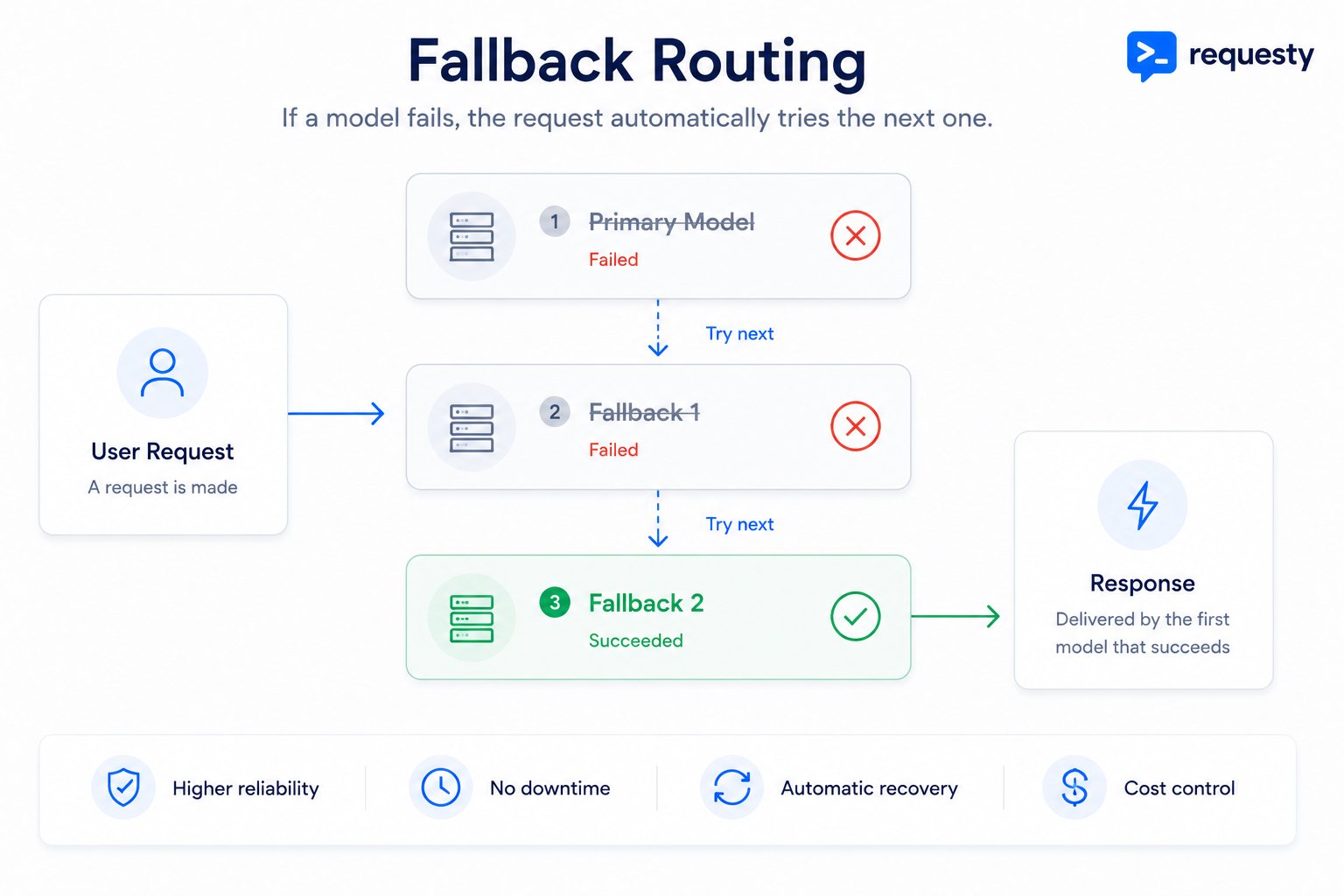
If a model fails, the request automatically tries the next one in the chain until one succeeds.
Set up fallback policies in the Requesty Console. Prefer zero setup? Try a managed policy maintained by Requesty.
How It Works
1
Request sent to primary model
Your request goes to the primary model first.
2
Automatic failover on failure
If it fails (timeout, rate limit, error, etc.), the router immediately tries the next model in the chain.
3
Transparent response
Your application receives the successful response without knowing about the failures.
Benefits
Higher Success Rates
No more failed requests due to provider issues.
Zero Downtime
Automatic failover without code changes.
Cost Optimization
Start with cheaper models, fall back to premium ones only when needed.
No Stalled Workflows
Your users never see “model unavailable” errors.
Creating a Fallback Policy
1
Create the Policy
Go to Routing Policies, click Create Policy, and select the Fallback strategy card. Name your policy and reference it as 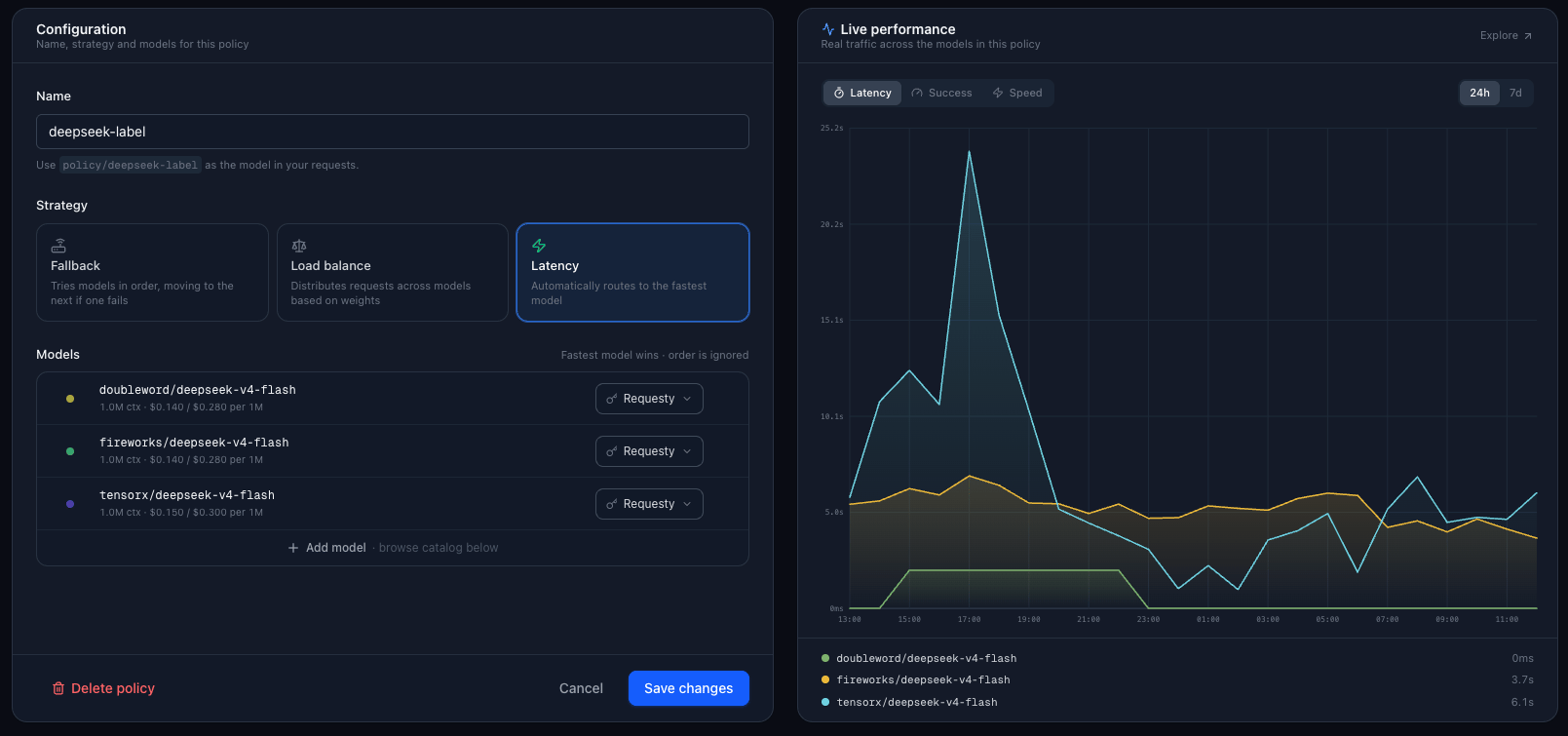
policy/your-policy-name in your requests.2
Configure Your Fallback Chain
Add models from the catalog below the form. Filter by provider, region, or data policy, and drag models to reorder your chain. For example:
The router will try each model in order, retrying the configured number of times before moving to the next.
3
Use the Policy in Your Code
Change your
model parameter to reference your policy:Use Cases
Cost-Effective GPT Chain
Cost-Effective GPT Chain
Start with cheaper models, only use expensive ones if needed:
Multi-Provider Reliability
Multi-Provider Reliability
Distribute across providers for maximum uptime:
Regional Failover
Regional Failover
Try regional endpoints before falling back to global:
How Retries Work
Each model in the chain can have 0 to 10 retries. The router uses:Key Selection (BYOK)
For each model, you can choose which API key to use:Monitoring and Debugging
Every policy page includes a Live Performance panel showing real traffic across the models in the policy. Switch between Latency, Success, and Speed over the last 24 hours or 7 days to see which models are handling your requests and how they perform. For deeper analysis:1
Open Analytics
Go to Analytics.
2
Filter by policy
Filter by your policy name to see which models succeeded, failed, and how often fallback occurred.
FAQ
What happens if all models in the chain fail?
What happens if all models in the chain fail?
The request returns an error with details about the last model attempted. You will see all the failures in your request logs.
Can I nest policies?
Can I nest policies?
Yes. A fallback policy can reference another policy as one of its fallback options. For example, your second priority could be
policy/multi-provider-backup instead of a single model.Do I get charged for failed attempts?
Do I get charged for failed attempts?
No. You only pay for successful requests that return tokens. Failed attempts do not incur costs.
How do I update a policy?
How do I update a policy?
Click the edit icon next to your policy in the Routing Policies page. Changes take effect immediately, no code deployment needed.