

- Access 600+ models from OpenAI, Anthropic, Google, Mistral, and many other providers through one API key.
- Track and manage your spend in a single location.
- Apply fallback policies, load balancing, and latency routing to keep your agent responsive.
- Keep traffic in the EU with EU routing.
Prerequisites
- The Kilo Code extension for VS Code, or the Kilo CLI (
npm install -g @kilocode/cli). - A Requesty API key from the API Keys page.
VS Code extension
1
Open the Providers settings
Open Kilo Code from the Activity Bar, click the gear icon to open Settings, and go to the Providers tab.
2
Find Requesty
Requesty is not in the Popular providers list. Scroll down, click Show more providers, search for 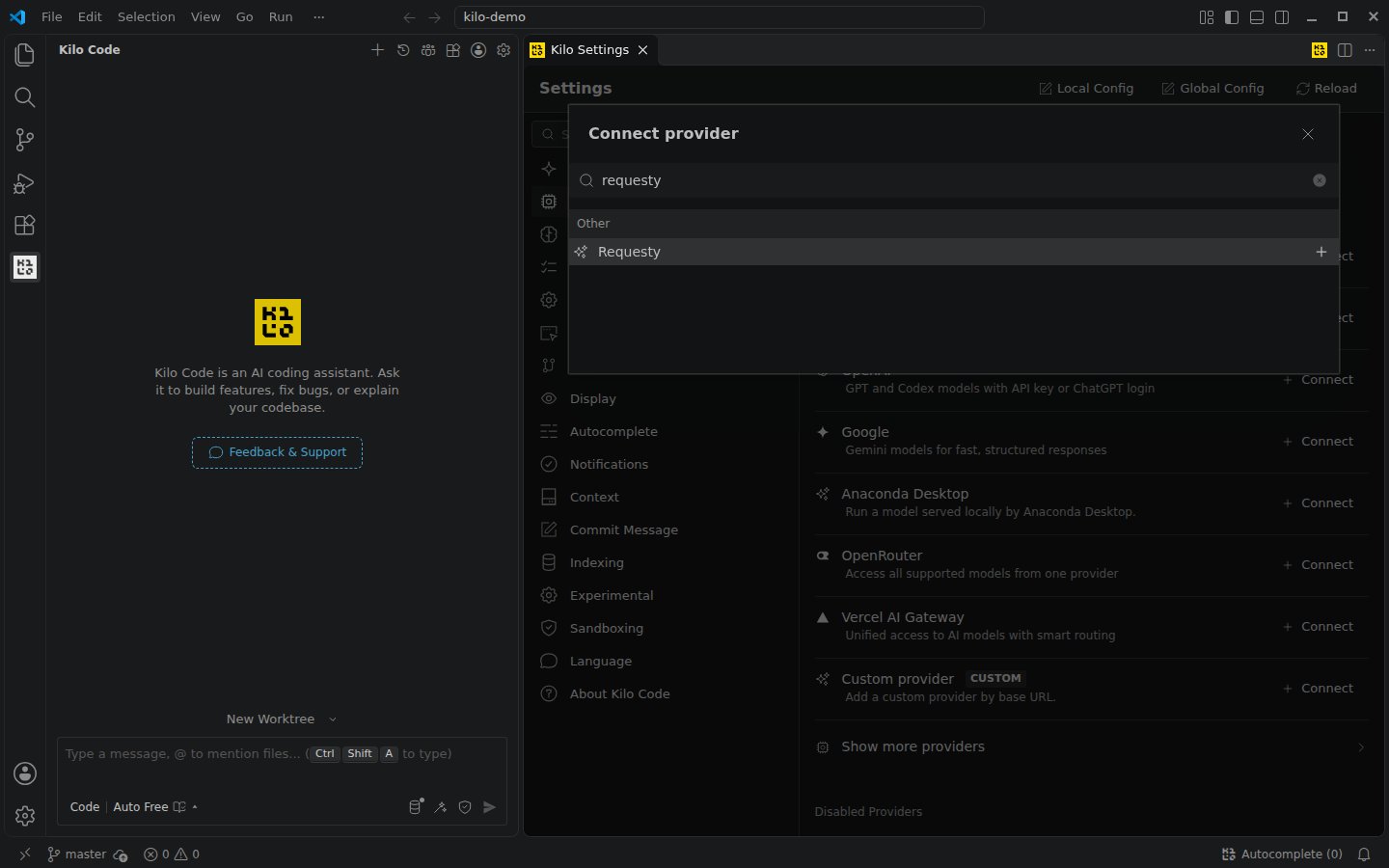
requesty, and select Requesty.3
Paste your Requesty API key
Paste your key into Requesty API key and click Submit. Requesty now shows under Connected providers with an API KEY badge.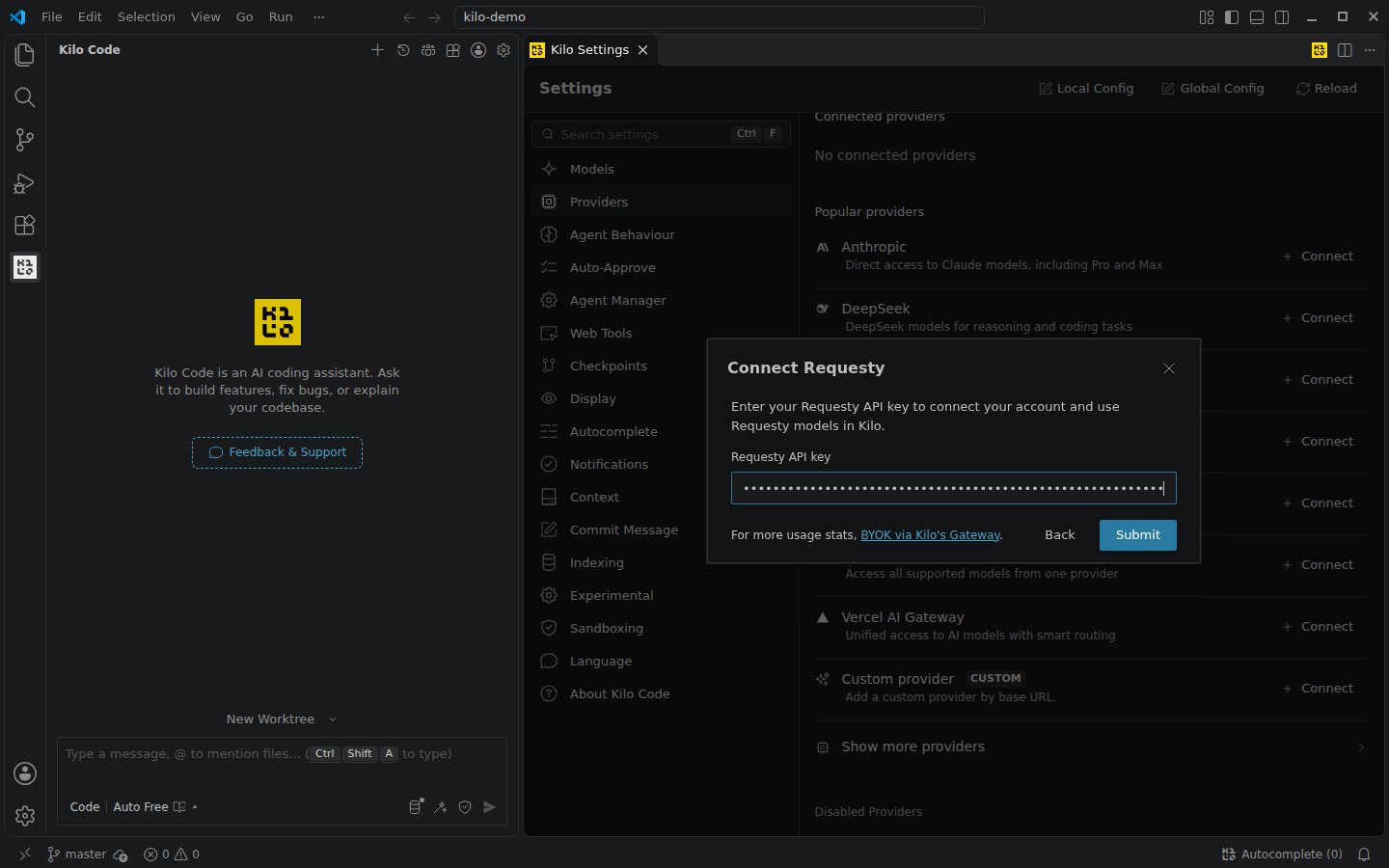
4
Pick a model
Click the model selector at the bottom of the chat box and search for a model, for example 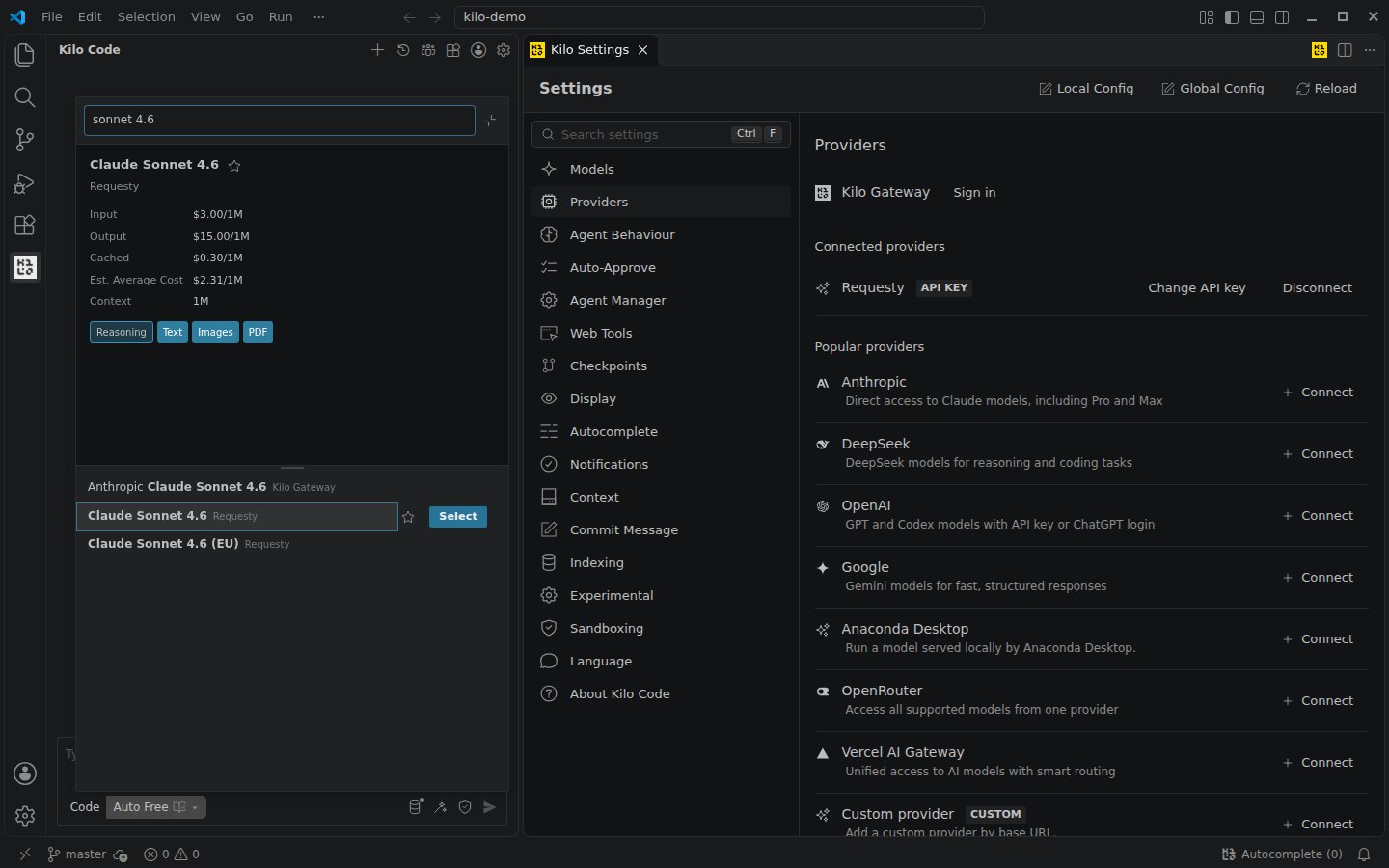
sonnet 4.6. Pick the entry labelled Requesty, not Kilo Gateway.claude-sonnet-4-6, gpt-5.5 or deepseek-v4.1-flash. Models ending in @eu (shown as (EU)) run in the EU.5
Start a task
Type a prompt and press Enter. Kilo Code shows the cost and token usage of the session at the top of the chat.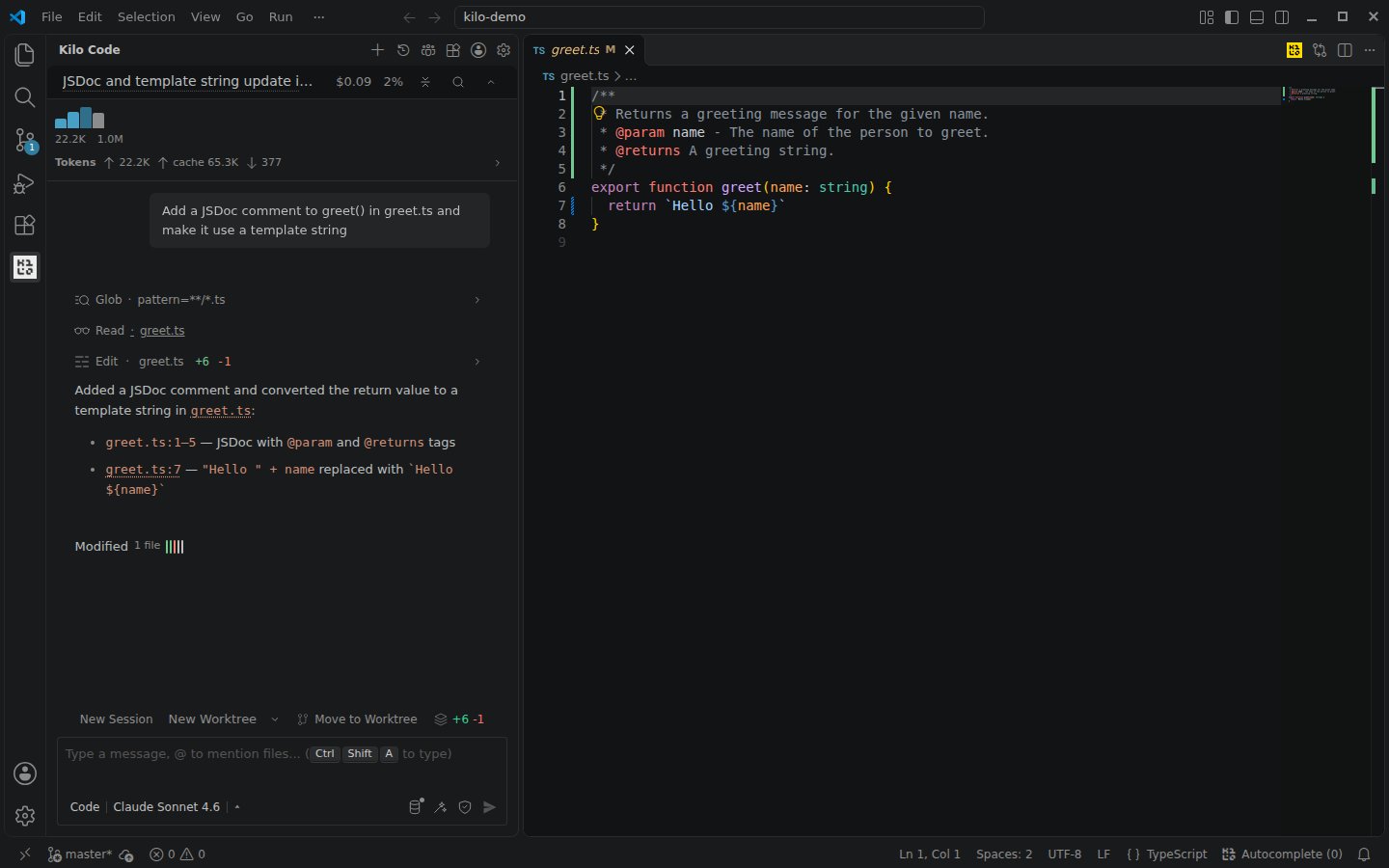
Kilo Code also sends short background requests, such as session titles, to a Small Model. Choose which model handles them under Settings > Models > Small Model.
~/.local/share/kilo/auth.json) and config files, so a key you add in VS Code also works in the terminal.
Kilo CLI
Log in once and the key is saved to the sameauth.json store:
REQUESTY_API_KEY automatically:
kilo.json in your project root or ~/.config/kilo/kilo.jsonc for a global config:
Use a Routing Policy
A Routing Policy is a named alias that lives on the Requesty side. You change which model (or chain of models) it resolves to in the Requesty UI, and every Kilo Code session picks up the change without config edits. This is the setup we recommend for teams. Kilo Code’s model list only contains Requesty’s built in catalog, so your policies are not listed. Using one without declaring it fails withModel not found: requesty/policy/<name>. Add each policy under provider.requesty.models in kilo.json:
requesty/ prefix, as it appears in GET https://router.requesty.ai/v1/models. In VS Code, click Reload at the top of the Kilo Code settings and the policy appears in the model picker under Requesty.
The same models block works for any Requesty model that is not in Kilo Code’s list, for example "vertex/gemini-2.5-pro": { "name": "Gemini 2.5 Pro" }.
EU routing
To send all traffic through the EU region, override the base URL:@eu models, for example requesty/claude-sonnet-4-6@eu. See EU Routing for details.
Track cost per team, repo, or developer
Add Analytics Headers underoptions.headers and every Kilo Code request carries them to Requesty:
Team or Repo in Analytics. The headers are only read by Requesty and are not forwarded to the model provider.
Verifying the integration
Run a prompt in Kilo Code, then open Logs or the analytics dashboard. The request shows up within seconds with its model, cost, and token counts.Troubleshooting
Requesty is not in the providers list
Requesty is not in the providers list
Requesty is not one of the Popular providers. Click Show more providers at the bottom of the Providers tab and search for
requesty.Model not found: requesty/policy/...
Model not found: requesty/policy/...
Kilo Code does not know your routing policies until you declare them. Add the policy under
provider.requesty.models, see Use a Routing Policy.This API key, user or group has reached its monthly spend limit
This API key, user or group has reached its monthly spend limit
The key, user, or group hit its spend limit in Requesty. An admin can raise it, see Spend Limits & Rate Limits.