

- 600+ models in the OpenWork model picker: Claude, GPT, Gemini, Mistral, DeepSeek and more, all with one API key.
- Per-task visibility: every request the agent makes shows up in Logs and Analytics with its model, provider, tokens, cost and latency.
- Spend limits on the key OpenWork uses, so a long-running agent can never go past a budget.
- Routing policies such as Fallback, and EU routing for teams that need data to stay in the EU.
OpenWork runs its agent on OpenCode, so the same
opencode.json configuration format applies. This guide was tested with OpenWork v0.18.67.Prerequisites
- A Requesty account and an API key from the API Keys page. We recommend a dedicated key for OpenWork, for example
openwork, so its usage and limits are separate from your other tools. - A folder you want OpenWork to work in.
Install OpenWork
1
Download the app
Go to openworklabs.com/download and pick the build for your system: macOS (Apple Silicon or Intel), Windows (x64 or ARM64) or Linux (AppImage or tar.gz). Every build is also attached to the GitHub releases.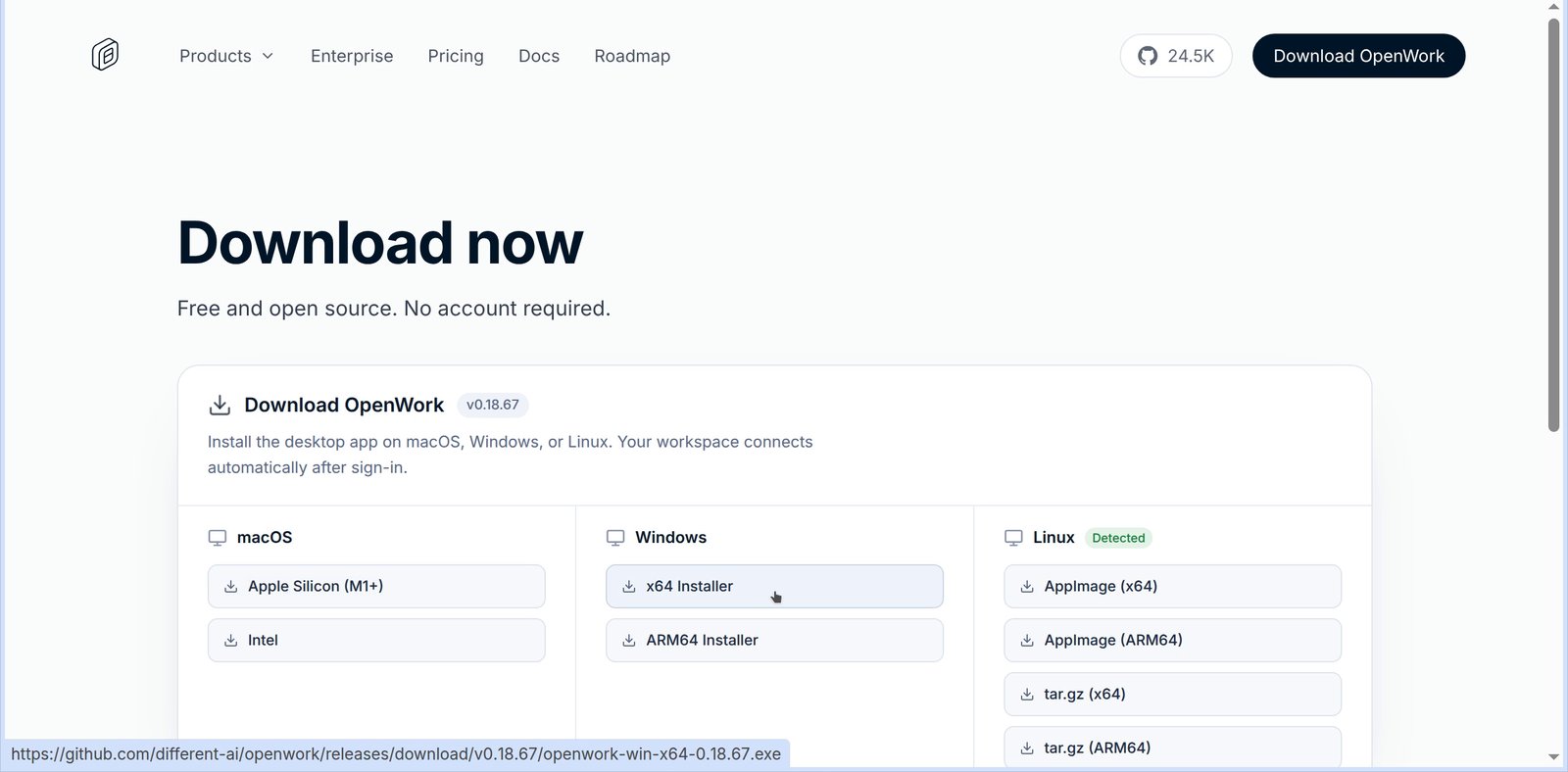
2
Add your folder as a workspace
OpenWork opens on a default OpenWork Chat workspace. Click Add workspace, choose Local workspace, pick your folder in the Authorize folder dialog and click Create Workspace.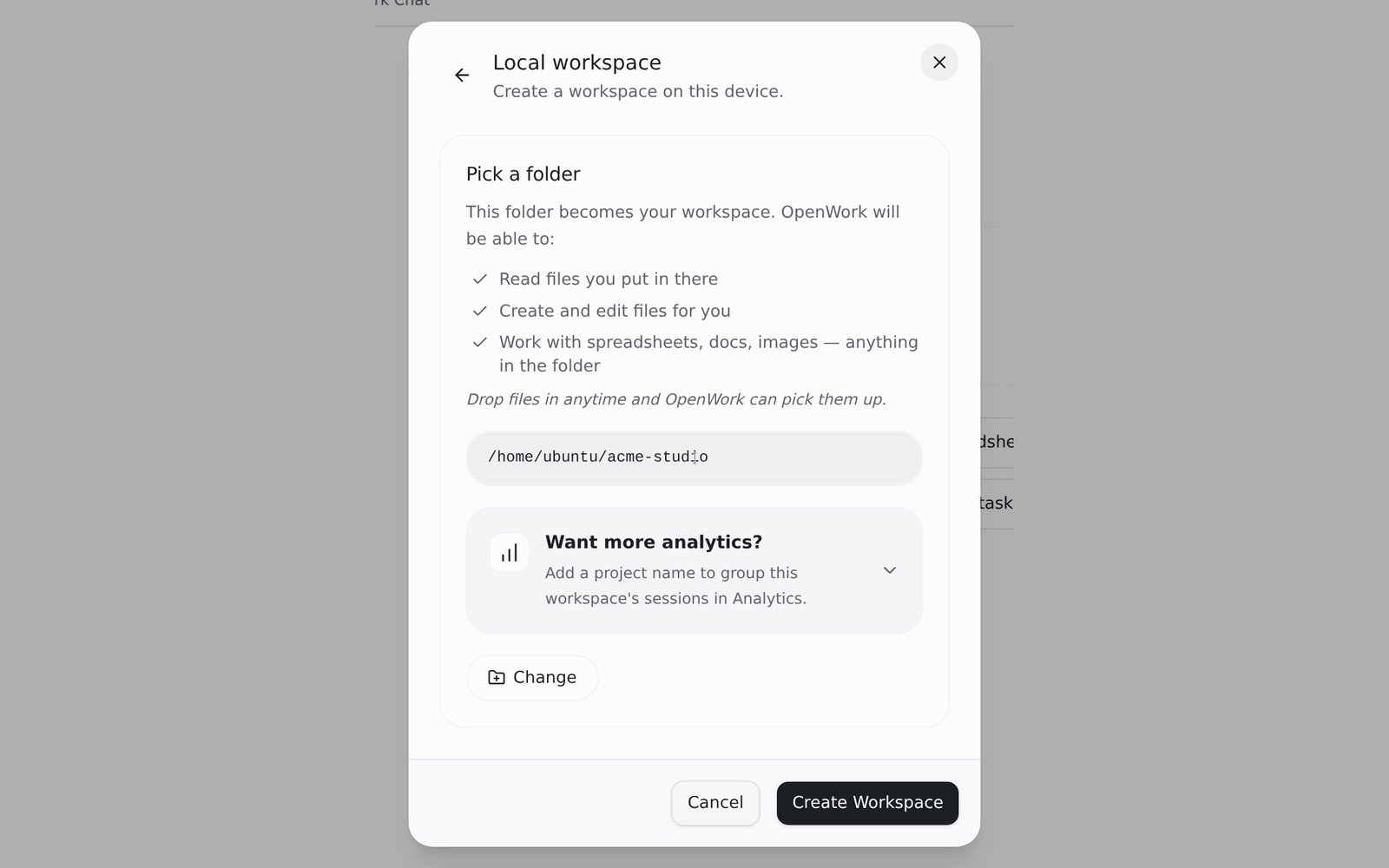
Connect Requesty
1
Open AI Providers
Open the account menu at the bottom left, go to Settings > AI Providers and click Connect a provider. Search for Requesty and click Connect.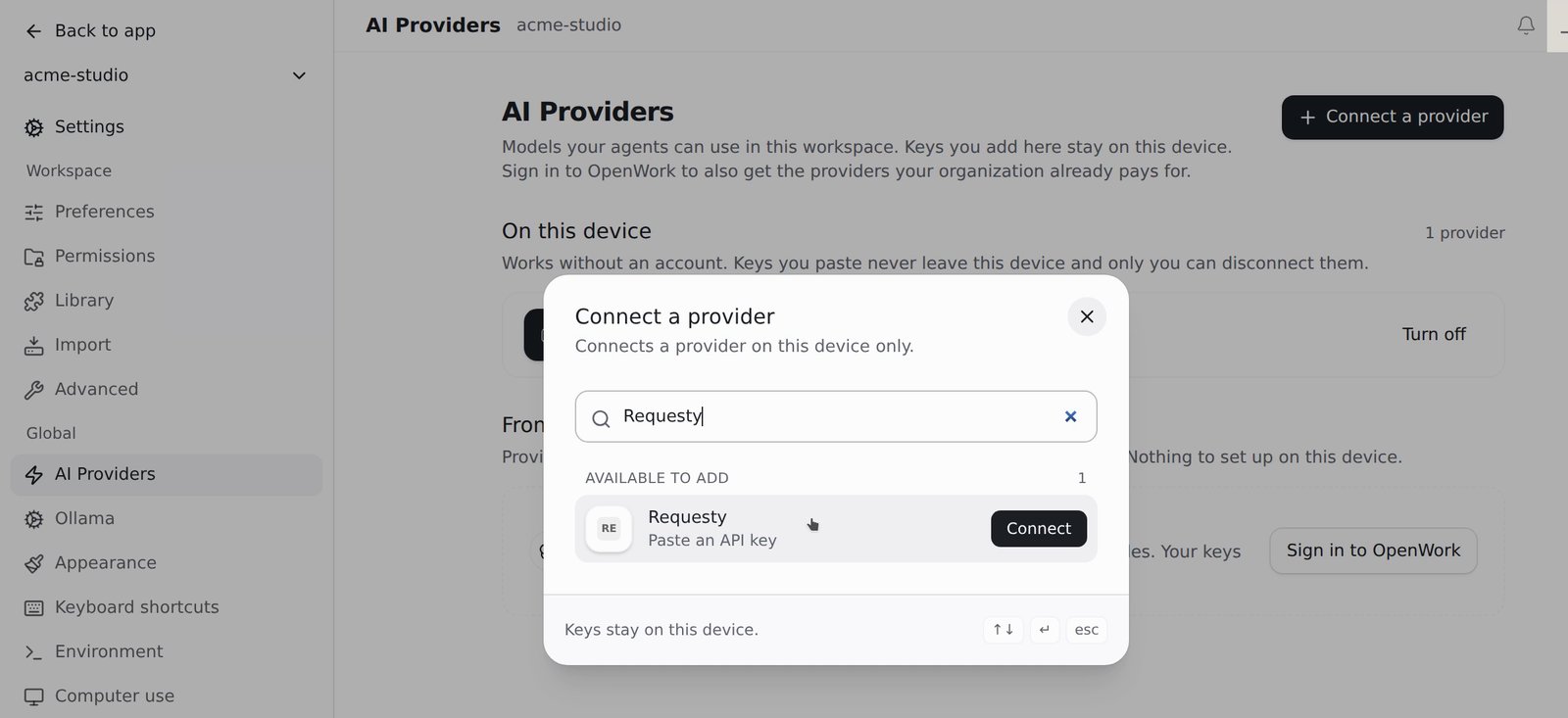
2
Paste your API key
Paste your Requesty API key and click Save key. Keys added here stay on this device.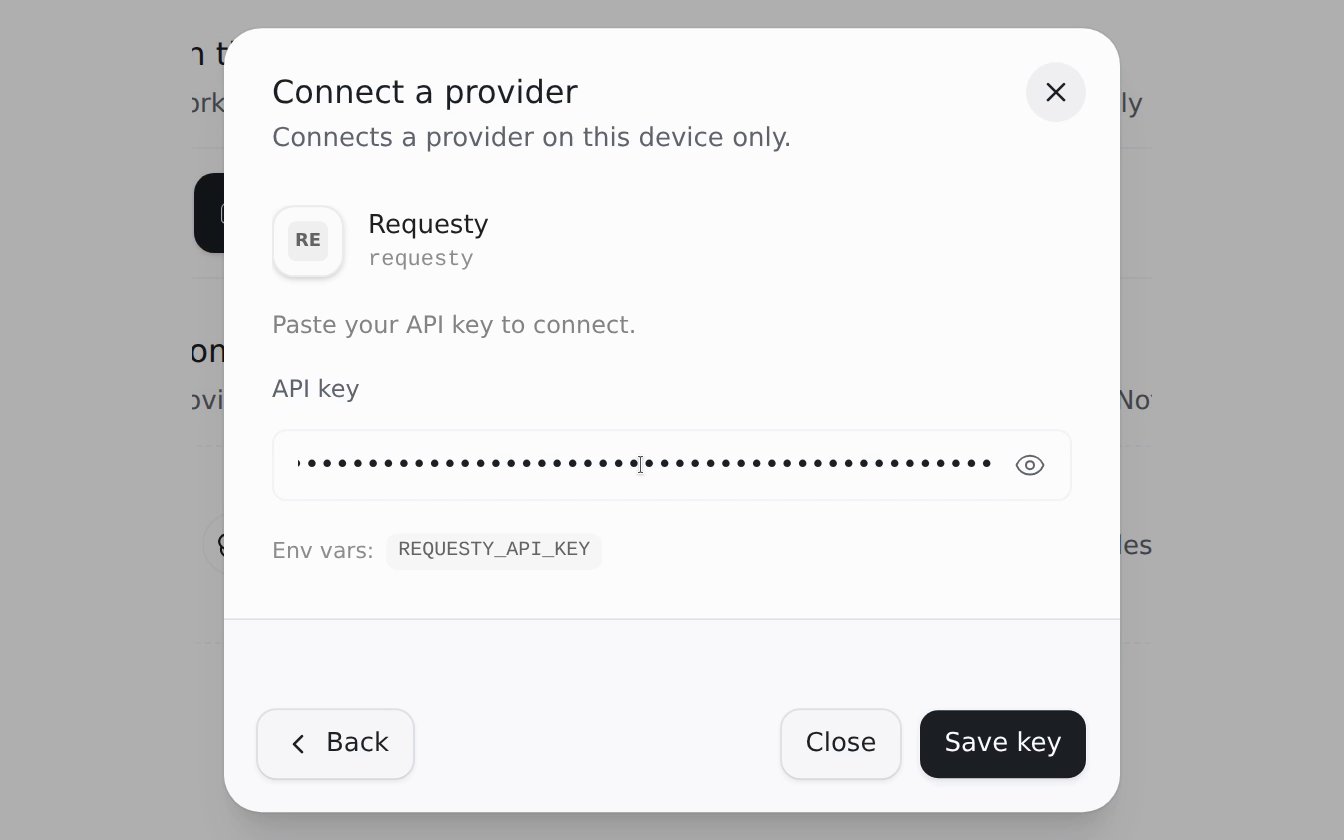
3
Check the connection
Requesty now appears under On this device in AI Providers, with a Disconnect button. Click Back to app to return to your workspace.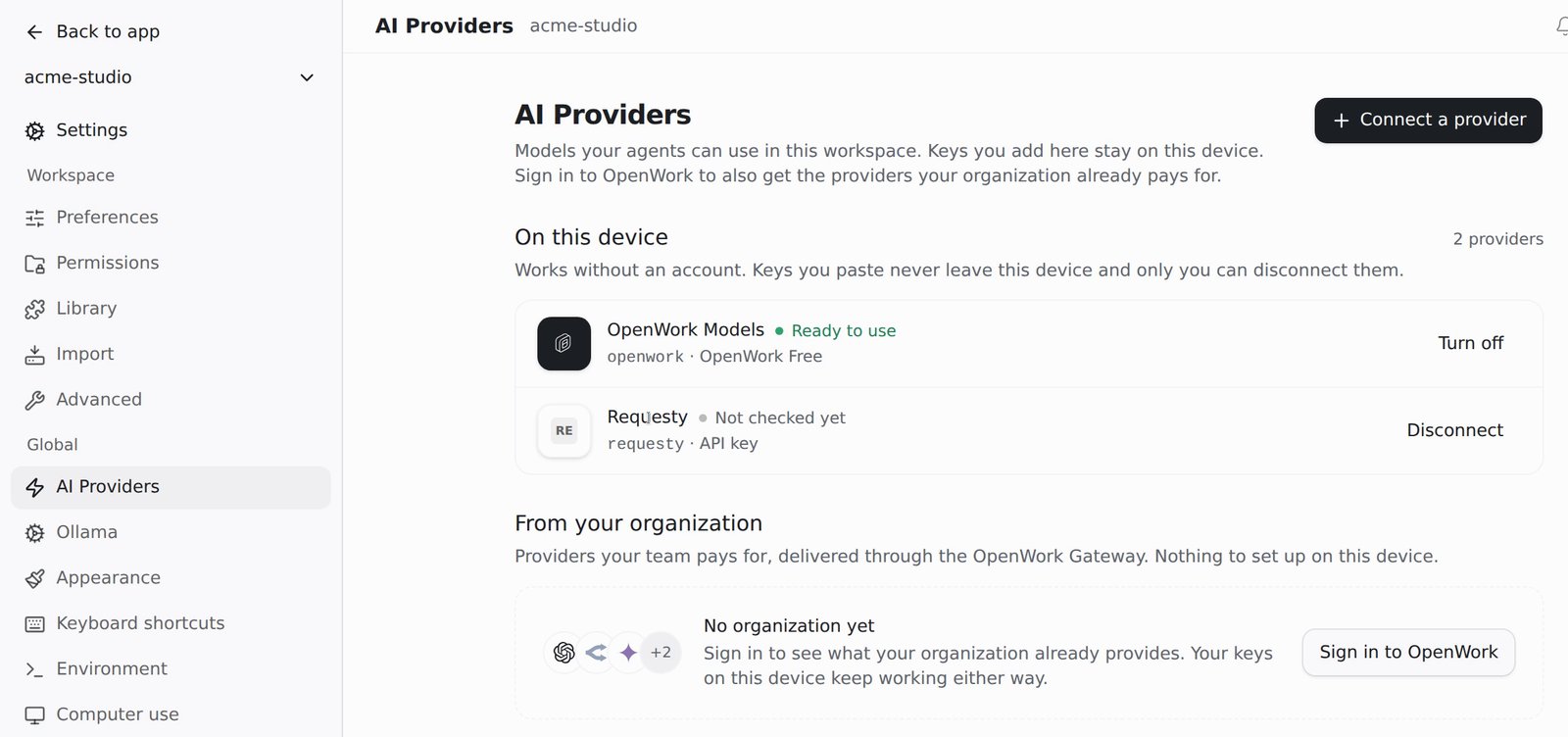
4
Pick a model
Start a New session, click the model name under the task box and search the list. Requesty models are grouped under Requesty. Pick one, for example Claude Sonnet 5.5.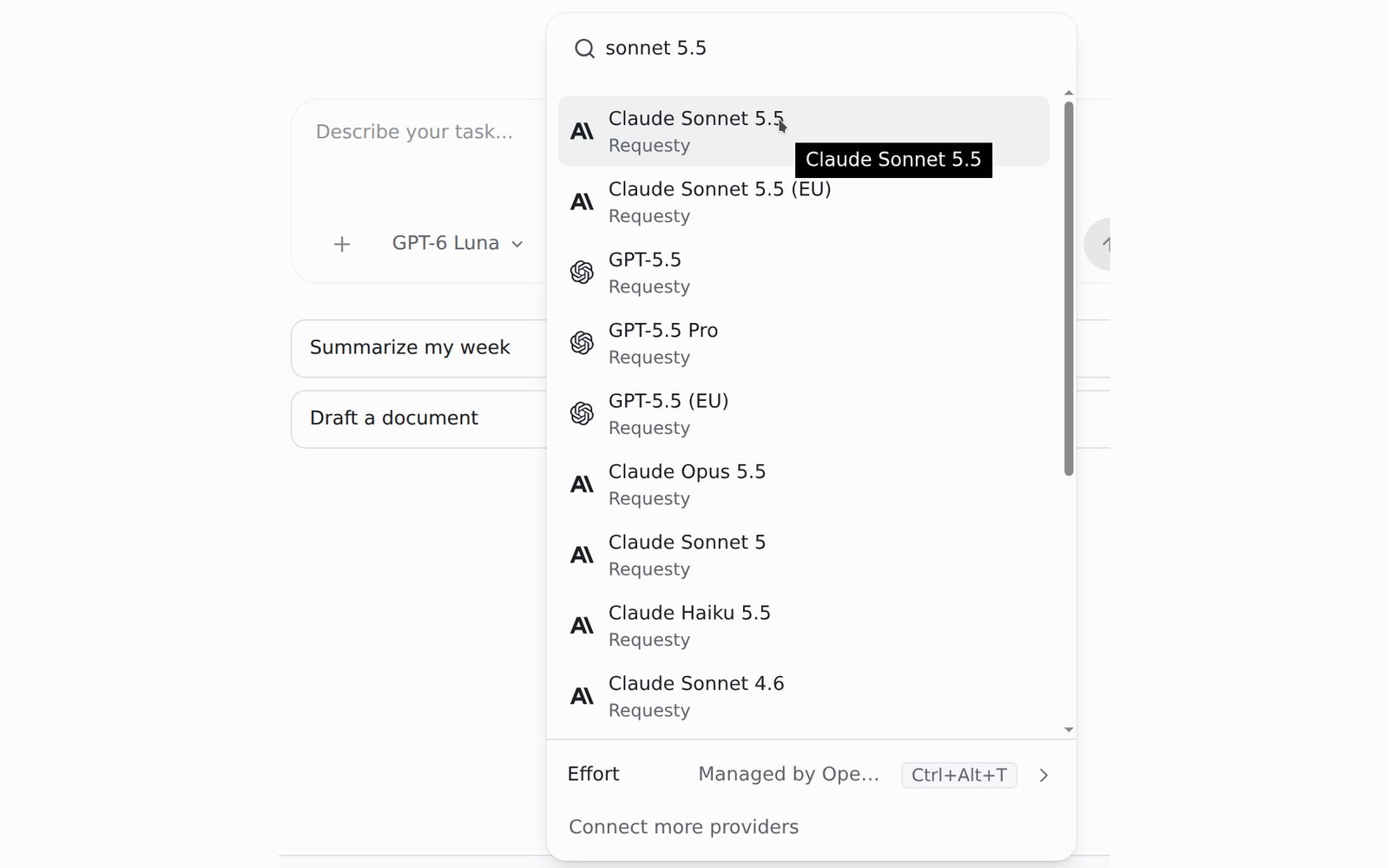
claude-sonnet-5-5 and gemini-3.8-flash, so Requesty chooses the provider for you. You can switch models per session.Run your first task
Describe a task that uses the files in your workspace, then click Run task. For example, in a folder of invoice PDFs: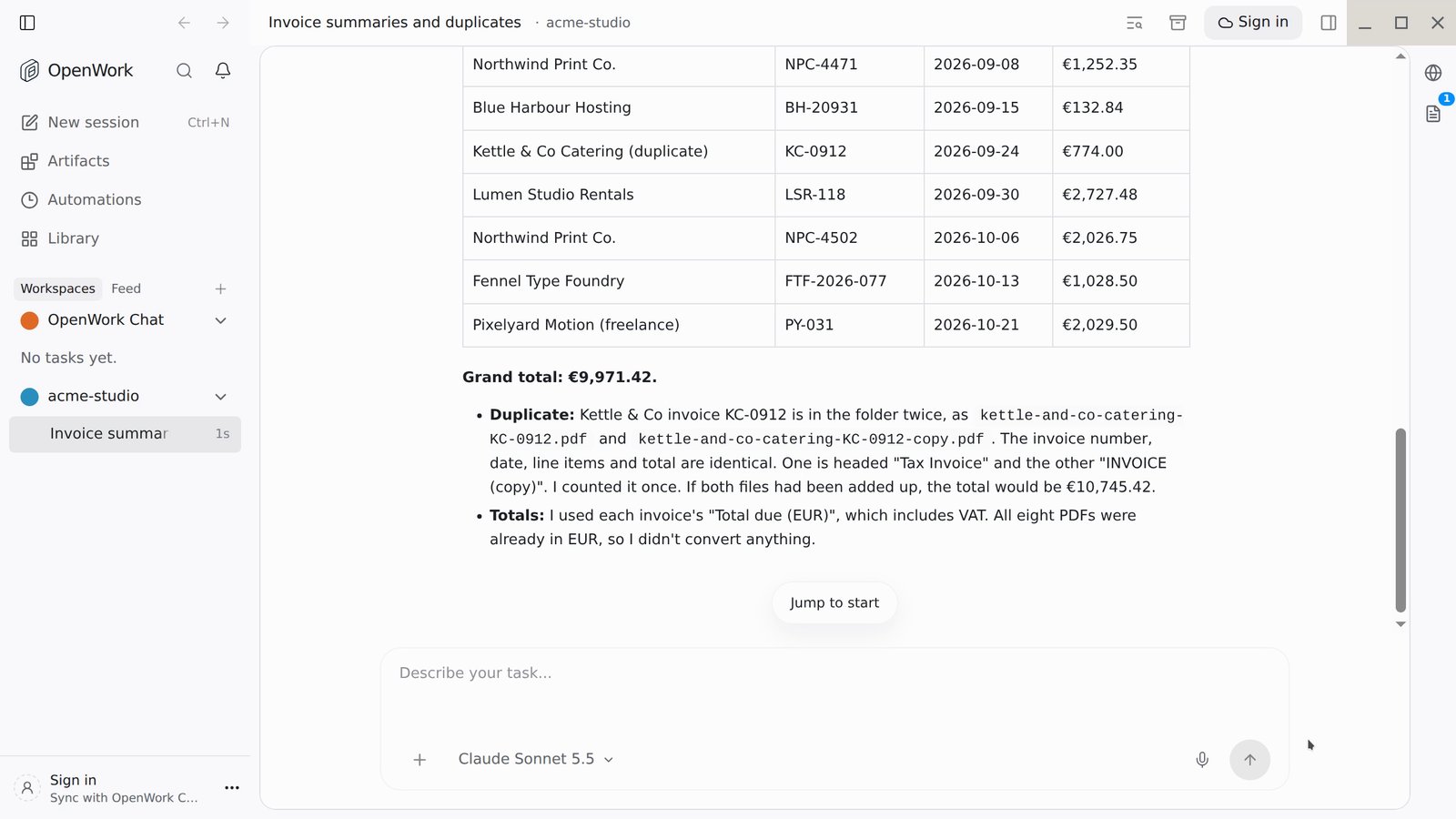
See every request in Requesty
A single OpenWork task is usually several model requests, as the agent reads files, calls tools and writes output. All of them appear in Requesty.1
Filter Logs to your OpenWork key
Open Logs and click your OpenWork key in the API key column, or use Add filter > API key. Each row shows the provider, model, routing type and policy. Use Columns to add tokens, cost and latency.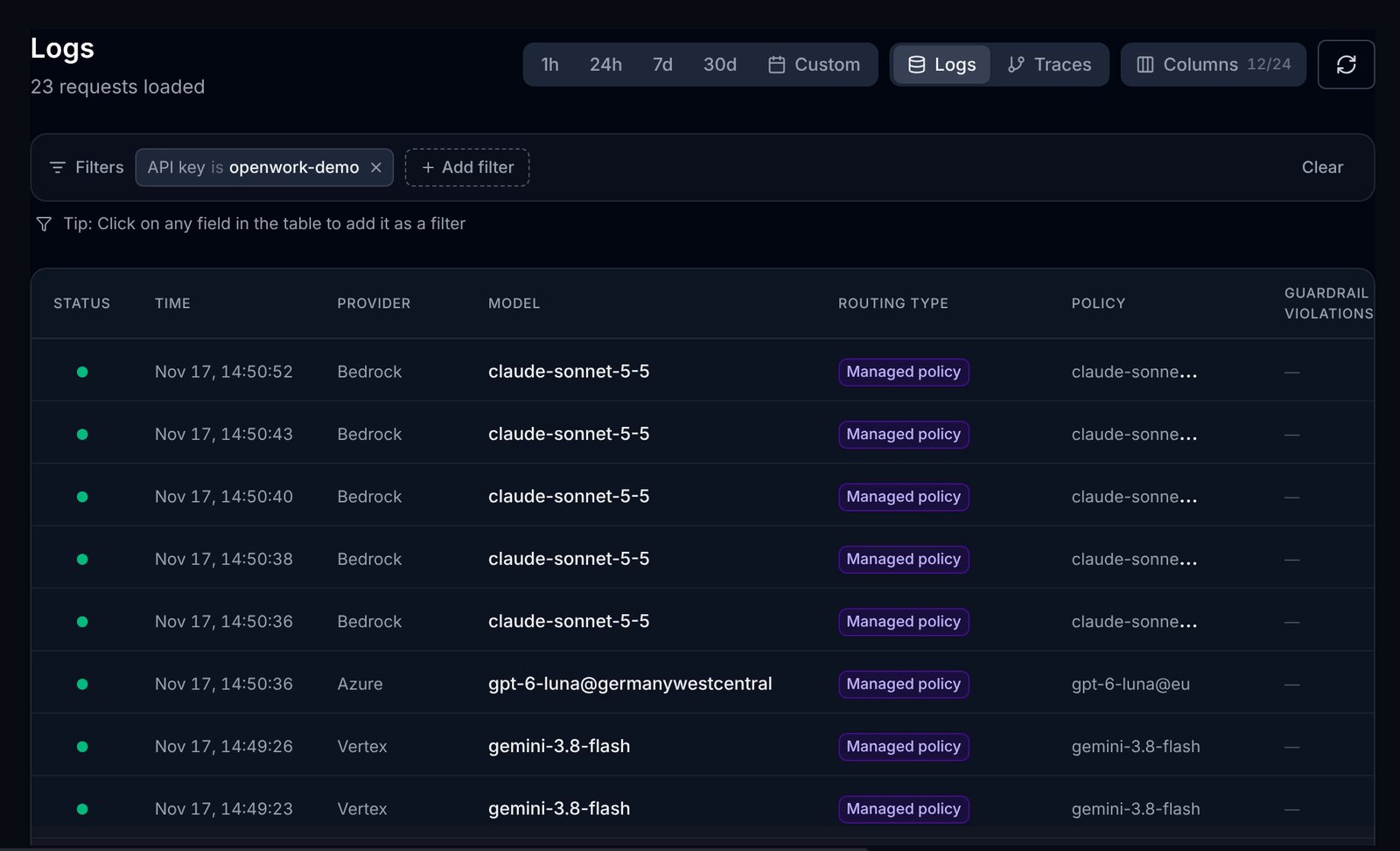
2
Open a request
Click a row to see first-token latency, input, cached and output tokens, the routing decision and the provider that served it.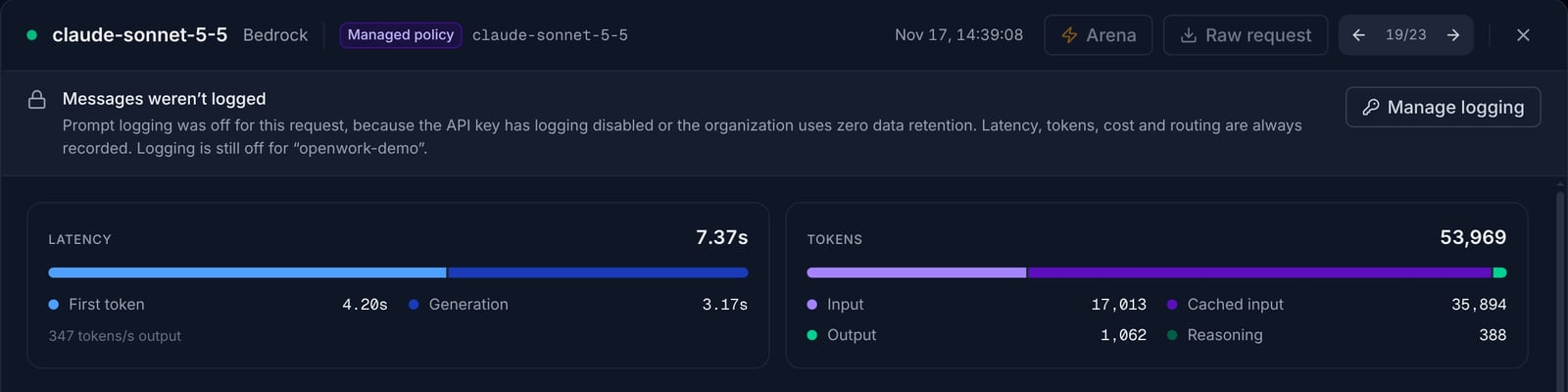
3
Compare models in Analytics
In Analytics, filter by your OpenWork key and set Group to Model to see requests, tokens and cost per model.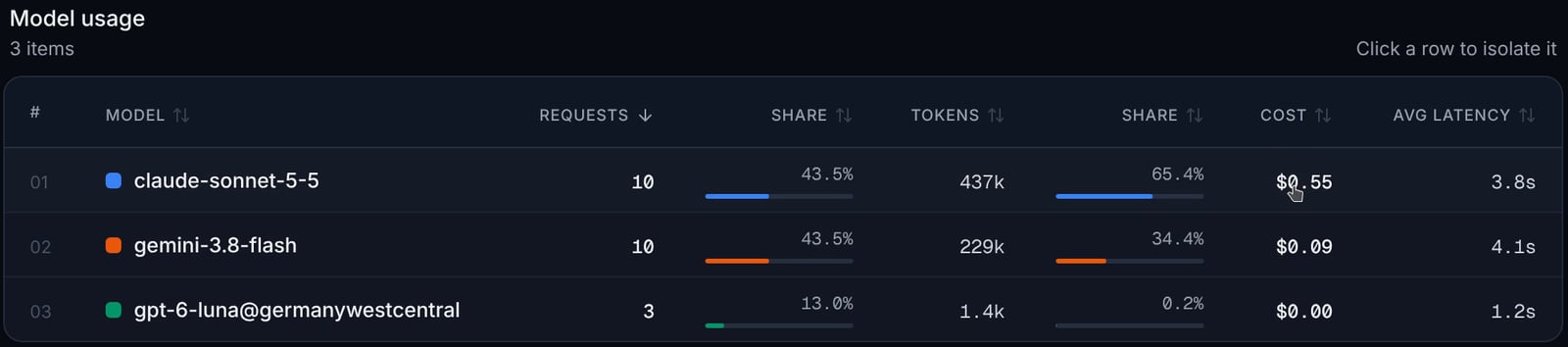
Set a spend limit
An agent that works through a large folder can make many requests. Put a monthly limit on the key OpenWork uses so it can never go past your budget.1
Open the key's limit
On the API Keys page, click the value in the Usage column of your OpenWork key (it reads No limit by default) to open Update API Key Limit.
2
Enter the limit
Enter the Monthly Limit (USD) and click Update Limit. The smallest limit is $1.00.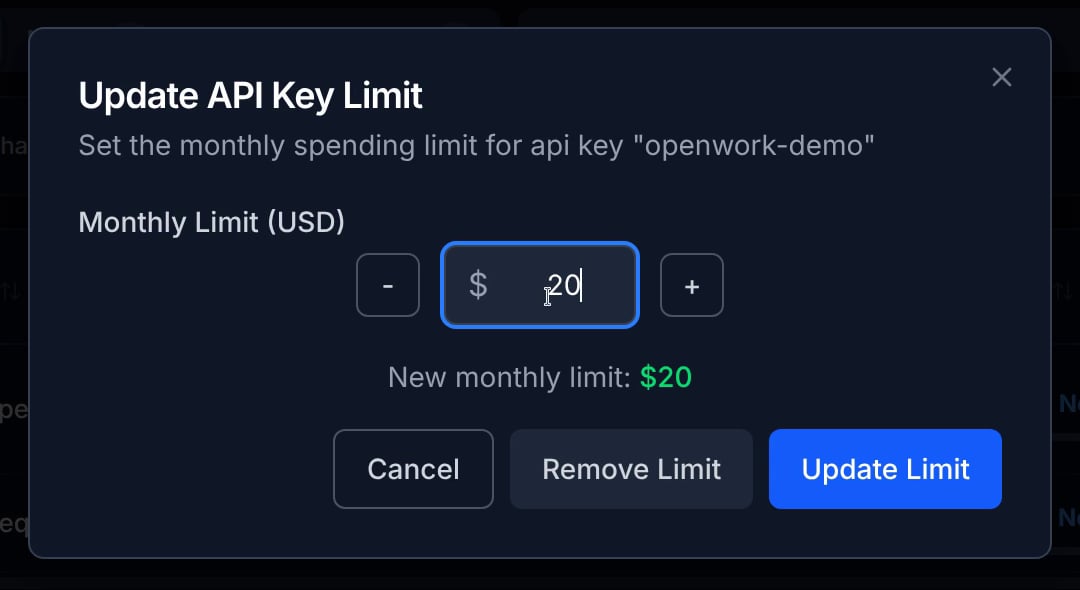

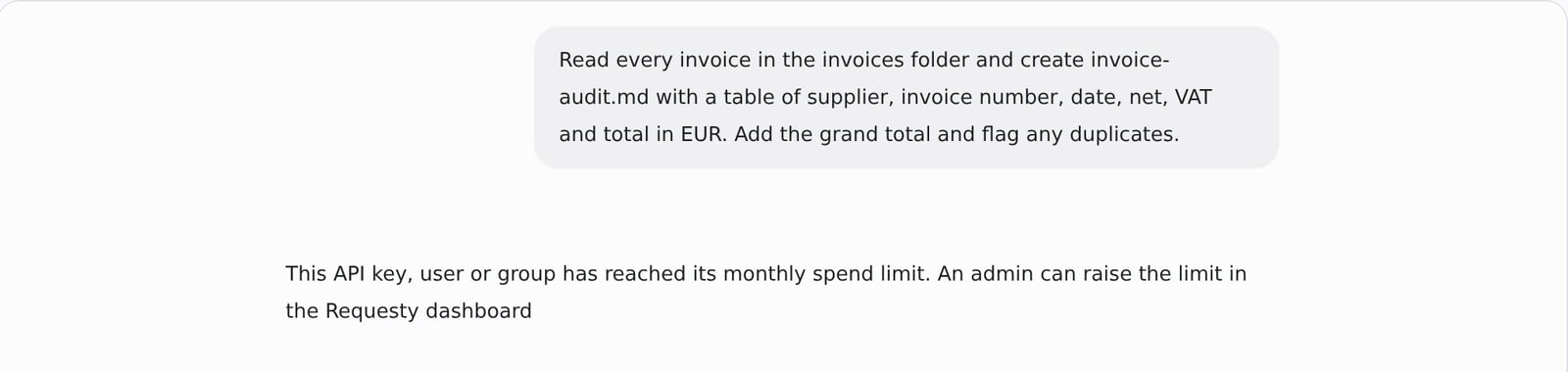
Requests that are already running when the limit is reached still finish, so usage can end slightly above the limit, as in the $1.08 / $1.00 example above. To continue, raise the limit on the API Keys page.
Recommended: a routing policy in the EU
A routing policy gives OpenWork one stable model name while you decide on the Requesty side which models sit behind it. Combined with the EU endpoint, you can keep every request in the EU and still fail over to a second model.1
Create the policy
Open Routing Policies, go to the Custom tab and click Create policy. Give it a name, for example 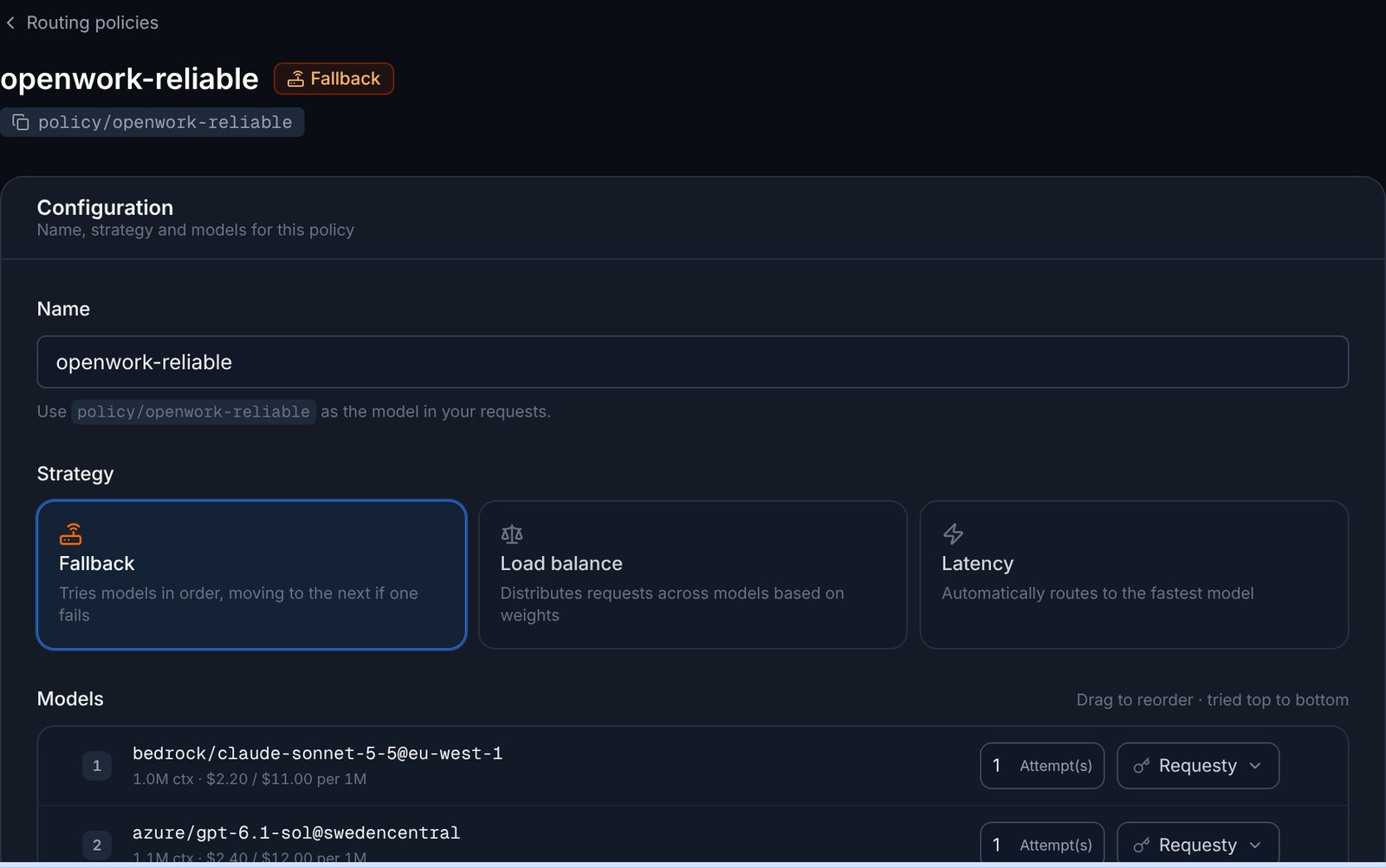
openwork-reliable, choose the Fallback strategy and use Add model to add models in the order they should be tried. To stay in the EU, add EU-pinned models such as bedrock/claude-sonnet-5-5@eu-west-1 first and azure/gpt-6.1-sol@swedencentral as the fallback.policy/openwork-reliable.2
Store the API key in a file
Save the Requesty key you want this provider to use in a file that only you can read:
3
Add the provider to your workspace
Create 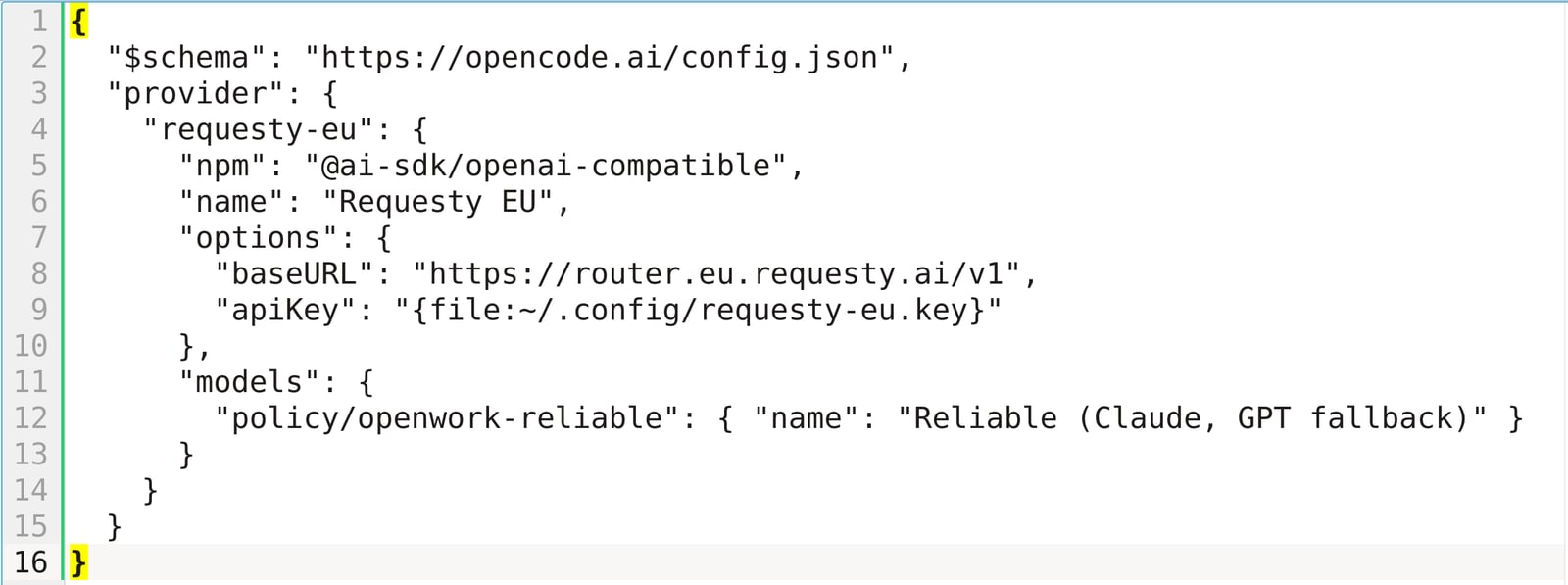
opencode.jsonc (or opencode.json) in the root of your workspace folder:models. OpenWork only offers the models it knows about, so a policy that is not declared here does not appear in the picker.4
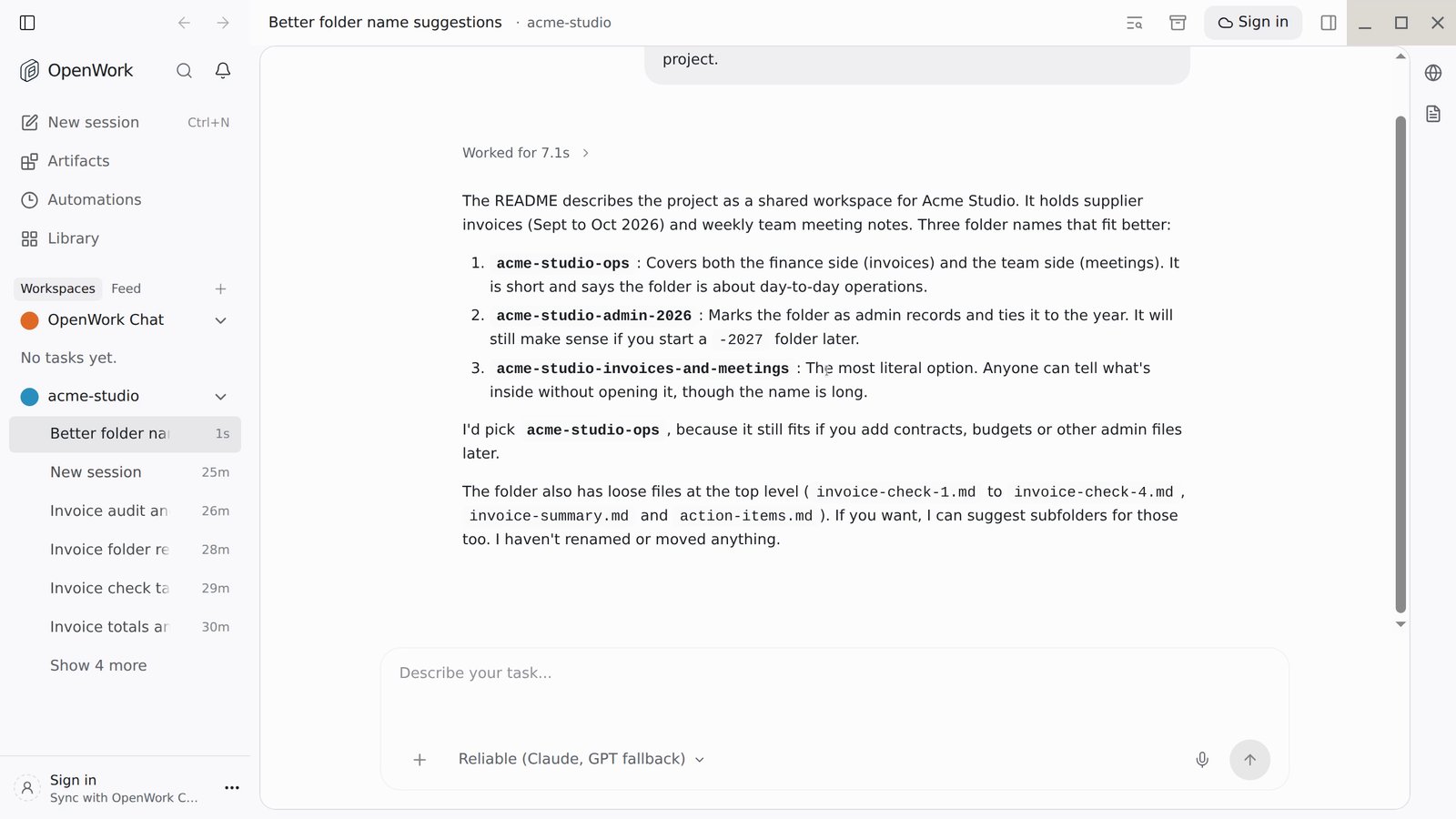
Pick the policy and run a task
OpenWork picks the file up without a restart. Start a new session, search the model picker for the name you gave the policy, and select it under Requesty EU.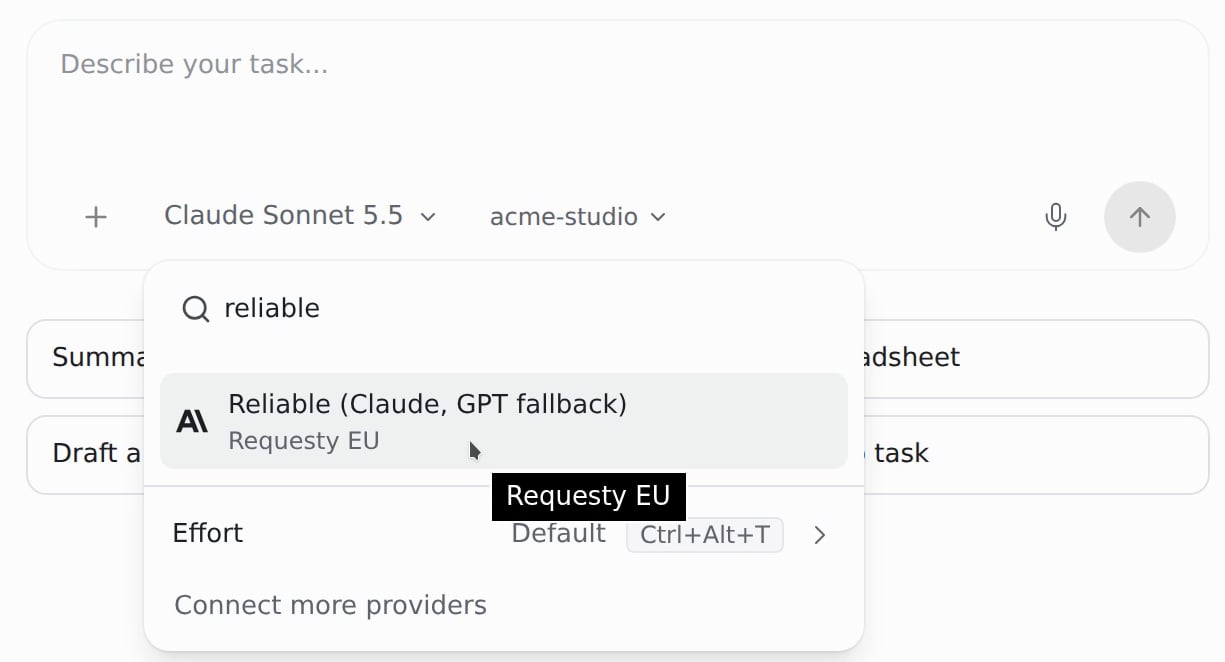
5
Confirm the region in Logs
In Logs, open one of the requests. The detail shows Policy: fallback, the policy name, the model that served the request and its region, here 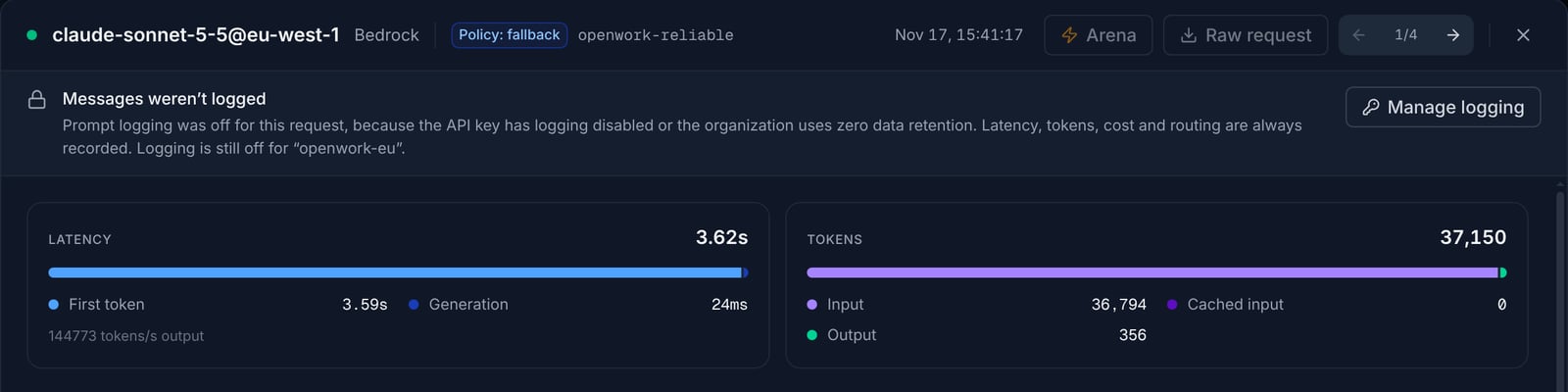
claude-sonnet-5-5@eu-west-1 on Bedrock.policy/openwork-reliable and the next request follows the new configuration.
If you only need EU routing without a policy, list EU models such as claude-sonnet-5-5@eu under models instead. To use a policy on the global endpoint, set baseURL to https://router.requesty.ai/v1.
Troubleshooting
Requests fail with an invalid API key
Requests fail with an invalid API key
Open Settings > AI Providers, disconnect Requesty and connect it again with a valid key. For a custom provider in
opencode.jsonc, check that the key file exists and contains only the key.My policy or model is not in the picker
My policy or model is not in the picker
Declare it under
models in opencode.jsonc in the workspace root, using the exact ID from Routing Policies or the models list. Also check that the model is enabled in your organization’s Approved Models.Requesty says the model does not exist
Requesty says the model does not exist
The model or policy ID is not known to Requesty. Check the spelling and the
policy/ prefix against Routing Policies or the models list.Monthly spend limit reached
Monthly spend limit reached
The key OpenWork uses is over its limit. Raise or remove the limit on the API Keys page. See Set a spend limit.